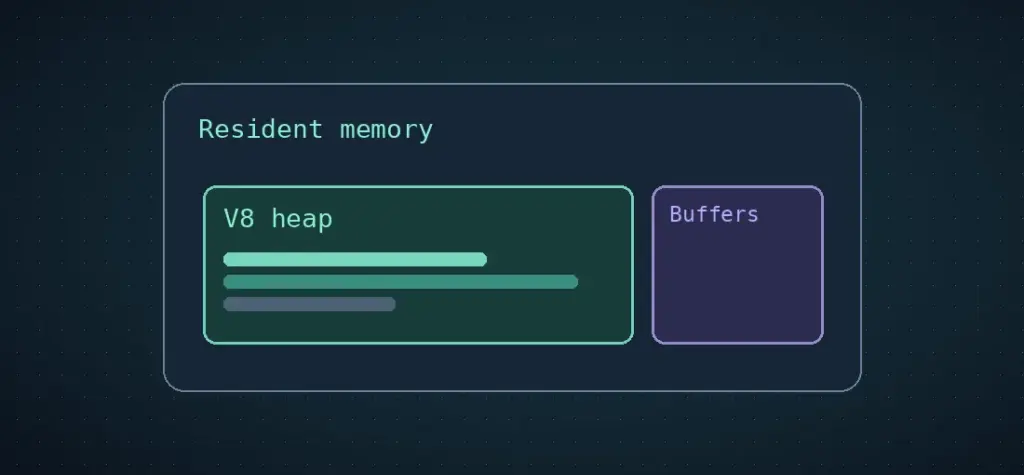
When a Node.js job runs out of memory while loading a CSV, start by finding out which memory is growing. The V8 heap, the total memory resident in the process and the budget of the container are three different measurements. Looking at one can leave you changing the wrong limit.
Measure the heap and the process together
Put the following measurement at the start of a job, after parsing, after transforming and after writing the result. Save the row count with each observation so you can compare equivalent checkpoints across runs.
import { memoryUsage } from 'node:process';
import { getHeapStatistics } from 'node:v8';

const mib = bytes => Math.round(bytes / 1024 ** 2);

export function measure(stage, rows = 0) {
  const { rss, heapUsed, external, arrayBuffers } = memoryUsage();
  console.log({
    stage, rows,
    rssMiB: mib(rss),
    heapUsedMiB: mib(heapUsed),
    externalMiB: mib(external),
    arrayBuffersMiB: mib(arrayBuffers),
    heapLimitMiB: mib(getHeapStatistics().heap_size_limit),
  });
}
heapUsed describes memory used by JavaScript objects. rss includes resident memory for the whole process. Buffers can drive up RSS while the heap looks fairly steady. Node.js includes arrayBuffers inside external, so keep them as separate readings and avoid adding them together. Check the operating system or container logs when a job disappears before it can write its next measurement.
Look for the rows that stay alive
Say a job reads a 700 MiB export into a single buffer, parses it into an array of objects, then calls map() to build a second array for output. For part of the job, all three can remain live. The file size tells you little about the memory needed to hold parsed strings, objects and both arrays at once.
Change the shape of the job. Read records from a streaming parser, process a bounded batch and wait for each write before reading more. The point is to release completed work between batches.
let batch = [];
for await (const row of parseCsv(readable)) {
  batch.push(normalize(row));
  if (batch.length >= 1000) {
    await store(batch);
    batch = [];
  }
}
if (batch.length) await store(batch);
In this sketch, parseCsv is a streaming CSV parser, and store resolves when a batch is written. A downstream client that retains all the batches would undo the improvement. Use a parser that understands quoted fields. A newline can belong inside a CSV field.
Raise the limit after you know what the job needs
node --max-old-space-size=1536 job.mjs sets the limit for V8’s old generation in MiB. It leaves the process free to use additional memory for buffers, other V8 regions and native work. Treat 1536 as an example, then set your own value below the actual process budget with room for that additional memory and anything else sharing the container.
To confirm that batching helped, run the same job on progressively larger inputs. A bounded pipeline should produce more output without retaining a proportionally larger working set. Track peak RSS along with rows written and verify the output before lowering or raising a production limit.
Sources and further reading include Node.js process memory usage, V8 heap statistics and the old-space flag. The earlier article at this address was by Ashley Davis. Read Davis’s original article.